Using Layer Diagrams – Keeping your MVVM code from turning into spaghetti

Raleigh Code Camp 2013 is wrapping up this afternoon. The venue and the crowd was phenomenal. I really enjoyed presenting “Using Layer Diagrams – Keeping your MVVM code from turning into spaghetti”. Thanks to everyone who attended the presentation.

John Sonmez, Our Keynote Speaker, made my day by accepting my request to attend my presentation. It was awesome to have him in the audience and to get feedback from him!

I did not get the time to complete the raffle at the end of the presentation. But the folks who won the raffle should be getting an email from me with instructions to download their free license of CodeDemo (Professional).

The presentation slides can be downloaded from here : download.


NCDevCon 2013 Schedule

NCDevCon 2013 (tentative) session schedule is up. The topics seem quite interesting and varied : From “Web Penetration and Hacking Tools” (David Epler) to “Better UI/UX with Bootstrap : A Developer’s Primer” (Steve Keator) to “Getting Control of Your Asynchronous JavaScript” (Bucky Schwarz).

I am picking the sessions to attend.  Looks like I will be able attend around 11 sessions in 2 days, if that is all I do while I am there. Sometimes, there are good reasons to not attend a session :

  1. The conferences are for networking as well as for learning. If I strike an interesting conversation with someone, I will not hesitate to skip a session.
  2. Sometimes, an impromptu group discussion sparks wonderful ideas and accelerate a thought process in a way which is unlikely to happen in a one-way presentation. If I am in such a discussion, I will gladly forego the opportunity to attend the next session.
  3. A follow-on discussion after a session, either with the presenter or with other attendee(s) may derail my planned schedule.

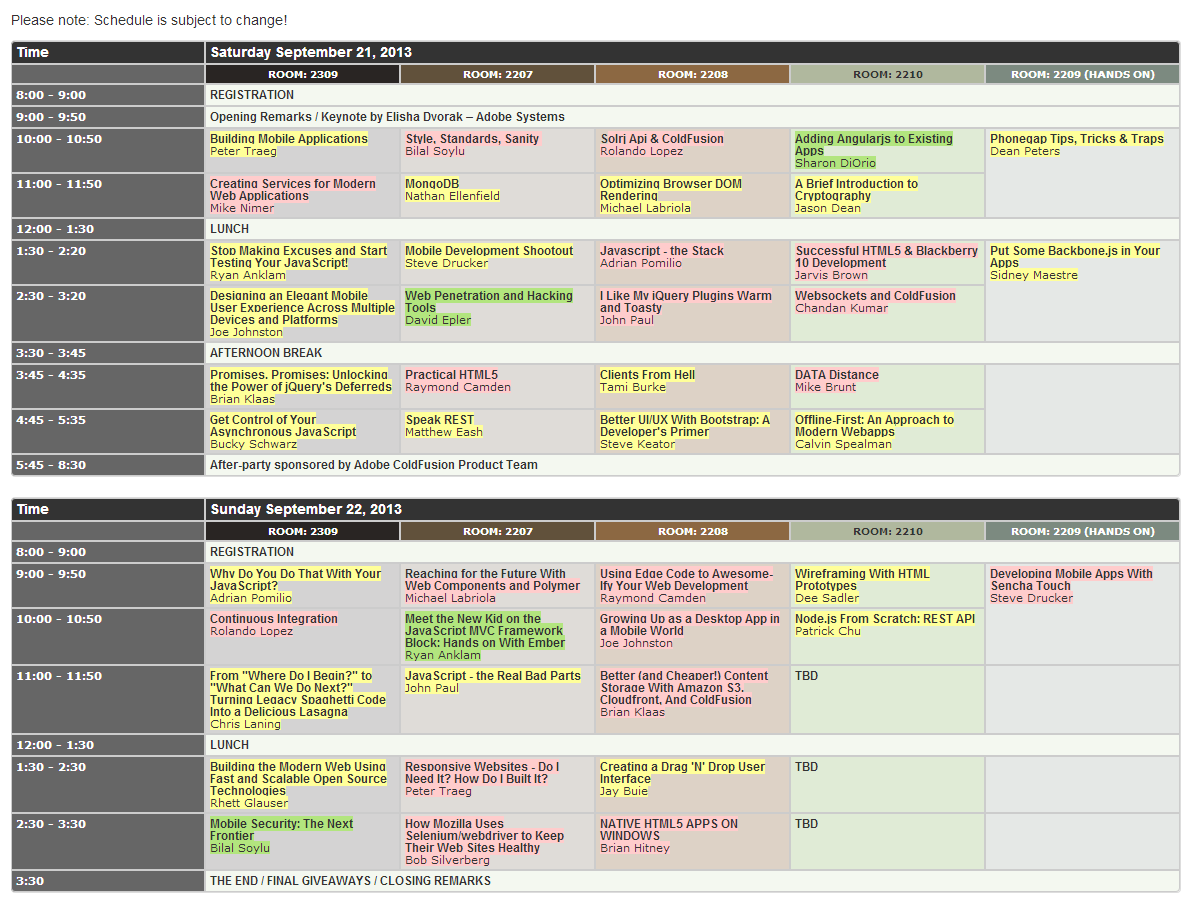
Here is my pick of sessions (click the picture to enlarge):

NCDevCon 2013 Schedule

Green highlights are the sessions I don’t want to miss.

Red/pink highlights are the sessions I will most likely not attend due to one of these reasons :

  1. I have no interest in the topic.
  2. I already know the subject to the extent that attending a (seemingly) introductory session is not a valuable use of my time. After all, I can only attend one session out of five in a time-slot.
  3. The session description is too vague for me to make a decision at the moment and there is another session in that timeslot that I am very keen on attending.

Yellow highlights are the sessions that I can’t make up my mind on. Any recommendations?

Which sessions are you attending?


DQS – Data Quality Services in SQL Server 2012

TRINUG – Data SIG, July 2013

SQL Server Data Quality Services (DQS) is a knowledge-driven data quality product. DQS enables you to build a knowledge base and use it to perform a variety of critical data quality tasks, including correction, enrichment, standardization, and de-duplication of your data.

Get Your Windows 8 Start Menu Back With Pokki

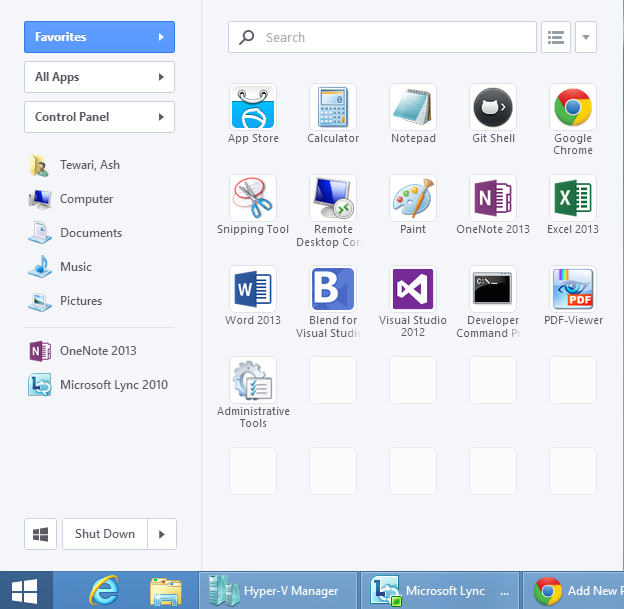
I like the new Windows 8 experience. Start screen with live tiles is awesome. But I have been missing the Start Menu when I am on the desktop. There are plenty of rumours that Microsoft will bring back the Start Menu in the next version of Windows – Windows Blue. Until then, you can use one of many third party utilities for that functionality – ClassicShell, Start8 and Pokki.

I started using Pokki. And I love it. It feels like my world is whole again. Pokki is free.

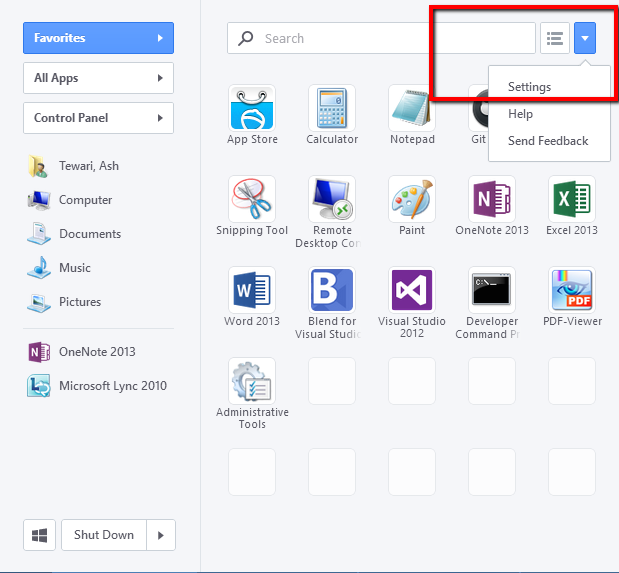
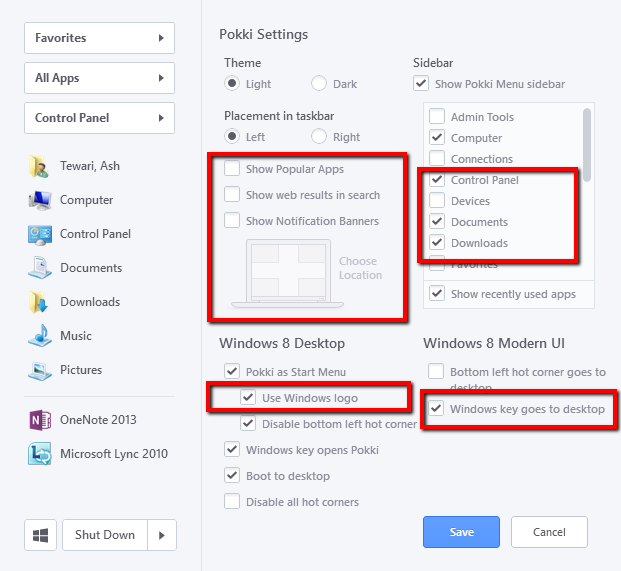
If you want to do what I did, after installing it, open settings

and make these changes:

The Site44 Workflow

A light weight development workflow with real-time website deployment.

I recently built a sample website to illustrate how clean, semantic html markup can be maintained when using Bootstrap’s grid system. The solution is to use a css pre-processor to incorporate Bootstrap’s LESS based mixins into your own .less files and push the Bootstrap instructions down into your stylesheets. There are two ways to “compile” .less stylesheets – use a stand-alone LESS compiler or use less.js. I found it very convenient to use less.js (note that it is not recommended in production deployment). As I started working on developing the sample code I found it a bit cumbersome to work with an entire web application project in Visual Studio, considering I was working with some really simple sample client-side html, css. As I craved for an alternative, I stumbled on to a development workflow that is incredibly simple and a lot of fun. I call it the Site44 workflow. Site44 turns your dropbox folders into websites. And it is awesome! Here is what you do –

1. Sign into Site44.com using your dropbox credentials.

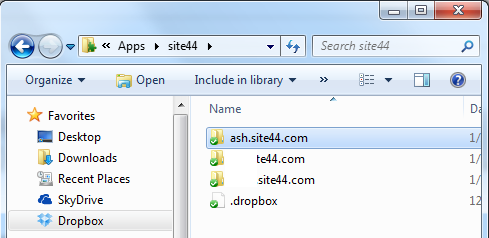
2. Create a new site (all you have to do is come up with a name). I named it “ash”. A sub-folder with this name will show up in your dropbox folder.
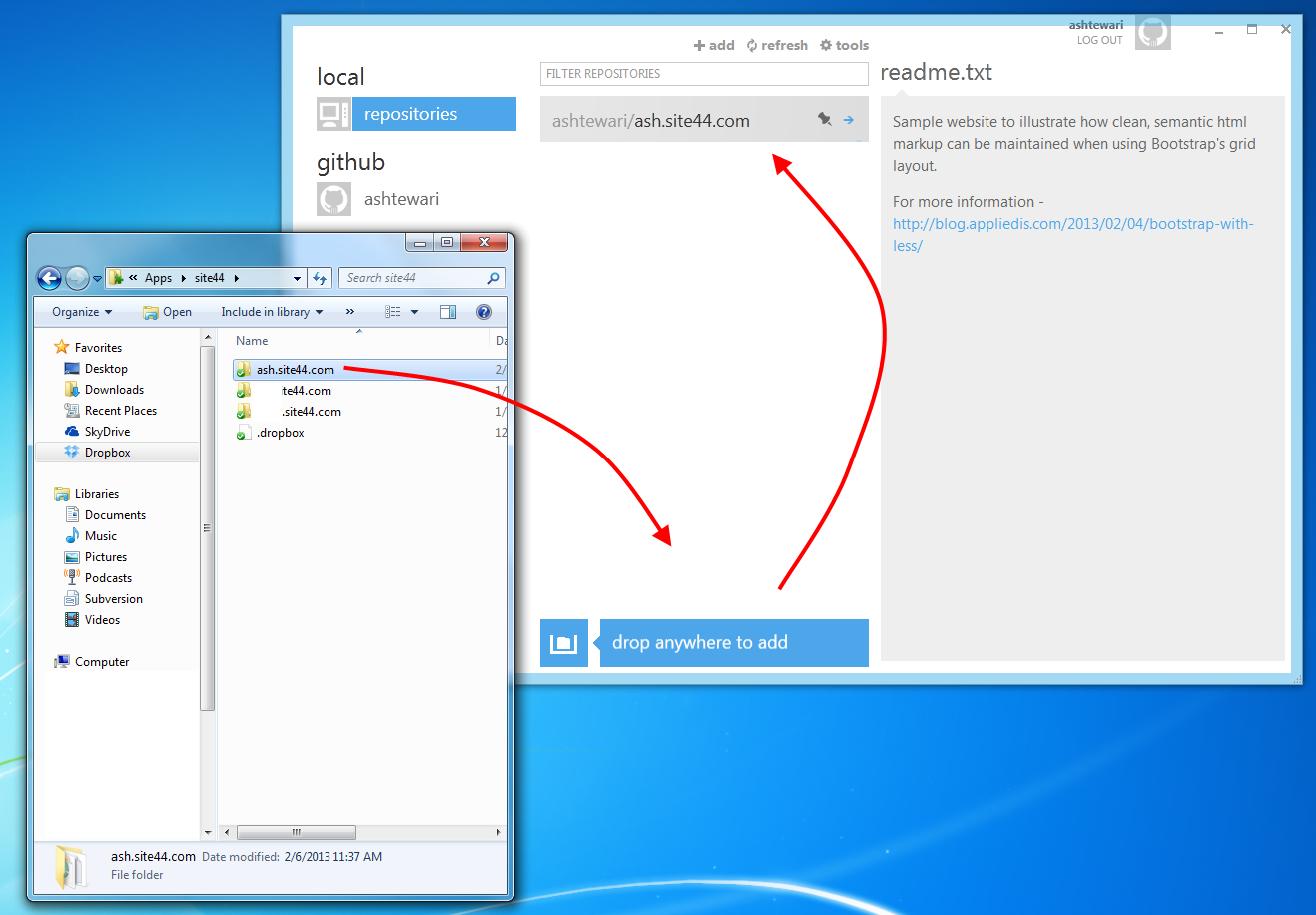
3. Drag this folder to your Github for Windows screen and drop it there to create a github repo in that folder and push it to github.
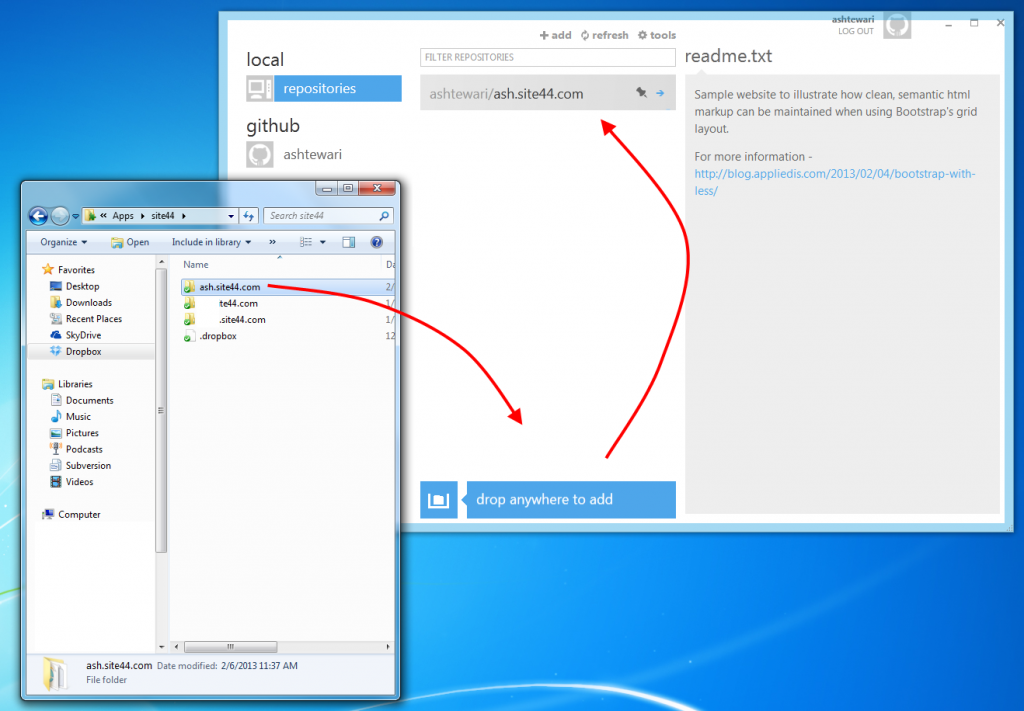
4. Smile and write code.

As you save your code. The changes are deployed in real-time to your website. You commit to your github repo as you please. If you revert to a different version/branch of our code from your git repo, that version will be deployed (almost) instantly to your website. I wish there was a .site44ignore feature in Site44, just like .gitignore. That will allow me to keep my .git folder (and some other files) from getting published to the website. Other than that, this worked out really well for me.

I wrote about the experience of extending Bootstrap with LESS here : Bootstrap with LESS.

Hat tip to Justin Saraceno for introducing me to site44.