Pages
-
Recent Posts
- Get Your Windows 8 Start Menu Back with Pokki
- The Site44 Workflow
- Understanding and Using System.Transactions
- Protecting Your Api Keys
- Favorite Excel Keyboard Shortcuts
- Solution to the fetch puzzle
- Solve puzzle with code
- Windigo 1.1 Released
- Call For Windigo Beta Testers
- ChildWindow Positioning
- Remove ListBoxItem Highlighting
- Sideload Windows Phone
- Getting Started with MVVM
- Win Advanced MVVM Book
- SVN Merge – Selecting Changesets
Recent Comments
- sharad D. Pawar on Code Validation in TortoiseSVN pre_commit_hook
- SatyaKishore on ChildWindow Positioning
- Laam on WPF – LINQ to SQL Sample
- tewari on Windigo 1.1 Released
- Guin on Windigo 1.1 Released
- Caleb on Remove ListBoxItem Highlighting
- AIS Around the Blogosphere | iPlayCloud.org on Understanding and Using System.Transactions
- Ian on Protecting Your Api Keys
- AIS Around the Blogosphere | Applied Information Sciences Blog on Understanding and Using System.Transactions
- AIS Around the Blogosphere | Applied Information Sciences Blog on Protecting Your Api Keys
- ReSharper vs Coderush (XPress) – Part 2 « Clean Code Style on ReSharper vs CodeRush + Refactor Pro
- AIS Around the Blogosphere | Applied Information Sciences Blog on Favorite Excel Keyboard Shortcuts
- Vishal Gamji on Favorite Excel Keyboard Shortcuts
- Ian on Favorite Excel Keyboard Shortcuts
- Andrew on GUI Prototyping Tools
Monthly Archives: March 2008
Customize log4net Output Path
The default log4net output path is relative to the startup directory of your executable. To customize the output path, you can override the base Appender’s File property in your own Appender class. The following example describes how to route the log files relative to the temp folder : public class MyOwnAppender : log4net.Appender.RollingFileAppender { public [...]
Posted in C#, code, log4net, tips Tagged C#, log4net, output path, RollingFileAppender, startup directory Leave a comment


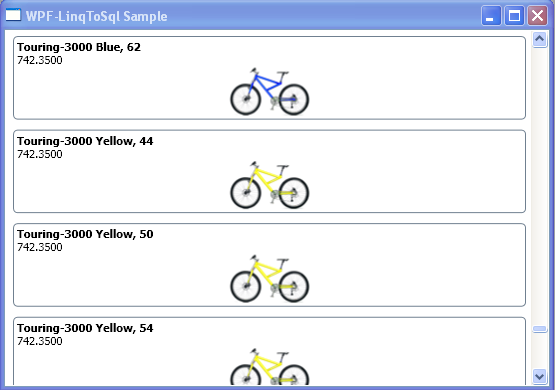
WPF – LINQ to SQL Sample