Silverlight ChildWindow is centered over the parent control. I have extended ChildWindow to open it at a specific position.
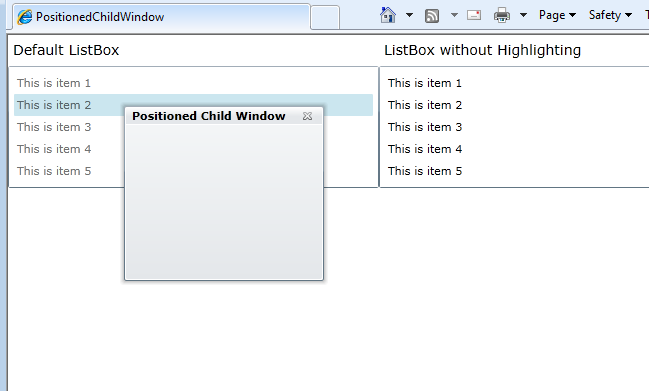
Here is a live demo : childwindow-positioning-demo
And here is the code :
public partial class ChildWindowEx : ChildWindow
{

    Point _pt = new Point(0,0);

    public ChildWindowEx()
    {
        InitializeComponent();
    }

    public ChildWindowEx(Point pt) : this()
    {
        _pt = pt;
    }

    protected override Size ArrangeOverride(Size finalSize)
    {
        Grid grid = Utils.FindChild(this, "ContentRoot");

        if (grid != null)
        {
            grid.Arrange(new Rect(_pt.X, _pt.Y, grid.DesiredSize.Width, grid.DesiredSize.Height));
            return finalSize;
        }

        return base.ArrangeOverride(finalSize);
    }
}
Visual Studio 2010 Solution : download
Hi..
Very nice post and this very useful for me. but by using this example I face one issue
i.e.
I am using above example for my child window positioning. that child window contains Text box with Accpet return true (For multi line ) and enables Horizontal and vertical scroll bars but these scroll bars are not working.
By commenting ArrangeOverride method these scroll bars are working fine. I have tested with given your sample also.
My text box is
Please guide me this regards