Call For Windigo Beta Testers

Windigo is a windows phone app. It lets you access your Diigo bookmarks on the go from your windows phone. You can browse, edit and create new bookmarks. Search your and other’s (public) bookmarks. Drill-down using tags. Share your bookmarks with your friends. I have completed developing this app and I would like to get it in the hands of a few more people to get some additional feedback before I submit it in windows phone marketplace. If you have a windows phone and a windows live id, you can help with this. Your phone does not need to be a developer (unlocked) phone. ...

October 8, 2011 · 1 min · tewari

ChildWindow Positioning

Silverlight ChildWindow is centered over the parent control. I have extended ChildWindow to open it at a specific position. Positioned ChildWindow Here is a live demo : childwindow-positioning-demo And here is the code : public partial class ChildWindowEx : ChildWindow { Point _pt = new Point(0,0); public ChildWindowEx() { InitializeComponent(); } public ChildWindowEx(Point pt) : this() { _pt = pt; } protected override Size ArrangeOverride(Size finalSize) { Grid grid = Utils.FindChild(this, "ContentRoot"); if (grid != null) { grid.Arrange(new Rect(_pt.X, _pt.Y, grid.DesiredSize.Width, grid.DesiredSize.Height)); return finalSize; } return base.ArrangeOverride(finalSize); } } Visual Studio 2010 Solution : download

June 7, 2011 · 1 min · tewari

Remove ListBoxItem Highlighting

A Silverlight/Wpf ListBoxItem is highlighted when selected or when the mouse hovers over it. I need to display a list of items that are not highlighted when selected. This is a common scenario when displaying an inactive list for simply listing out some information. ListBoxItem’s default template can be easily inspected and modified using Expression Blend - Select a ListBoxItem in Objects and Timeline pane, Right click and select Edit template > Edit a Copy. Name you template and save it at the scope of your choice. ...

April 30, 2011 · 1 min · tewari

Sideload Windows Phone

1. Create your AppHub account here - http://create.msdn.com. Registration walk through is here. 2. Unlock your phone - using PhoneReg.exe (usually) located here - “C:\Program Files (x86)\Microsoft SDKs\Windows Phone\v7.0\Tools\Phone Registration\PhoneReg.exe” 3. Sideload xap into your phone. Use XapDeploy.exe (usually) located here - “C:\Program Files (x86)\Microsoft SDKs\Windows Phone\v7.0\Tools\XAP Deployment\XapDeploy.exe” You can also deploy straight from Visual Studio to Windows Phone Device. Connect your phone to your computer. Make sure Visual Studio deployment target is “Windows Phone 7 Device” : ...

November 25, 2010 · 1 min · tewari
getting-started-with-mvvm

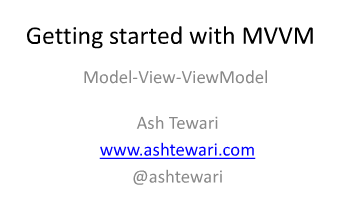
Getting Started with MVVM

I just finished presenting here at RDU Code Camp. It was a great crowd ! Here are the slides - Getting started with MVVM View more presentations from ashtewari.

November 6, 2010 · 1 min · tewari
Advanced MVVM Cover

Win Advanced MVVM Book

I am presenting a session on Building WPF Application using MVVM (Model-View-ViewModel) on May 15th at the Carolina Code Camp 2010. I will dissect a Sample WPF MVVM application and then highlight the most important aspects of the MVVM by coding a brand new ViewModel and incorporating it into the application. You will learn about the Roles of the MVVM triad, the advantages of using MVVM and Characteristics of the ViewModel. ...

May 10, 2010 · 1 min · tewari

SVN Merge - Selecting Changesets

Here is a simple scenario – I have already merged changesets 45-55 from the trunk to branch b1. After this merge, more changes (56-60) were submitted into the trunk and I now need to merge those changes also to branch b1. Which changesets do you select to merge ? 56-60, right ? Well, not exactly. It depends. If you are using Subversion merge command, you will need to specify 55-60. If you are using TortoiseSVN, you will select 56-60. You should keep this in mind if you are used to TortoiseSVN and you are attempting a merge using SVN merge command. Otherwise, you will end up with a merge without change 56. ...

April 26, 2010 · 2 min · tewari

Code Validation in TortoiseSVN pre_commit_hook

If you want to abort a commit if your code fails certain rule and you don’t have access to the SVN Server to configure a hook. What do you do ? Assuming you are using TortoiseSVN, you can configure a Client-Side hook. Here is an example - Say you want to abort commit if you have a comment in your code that starts with //Do Not Commit. You can create a PowerShell script that validates all the files in your changeset and use this script as a Client-Side pre_commit_hook in TortoiseSVN. ...

April 1, 2010 · 1 min · tewari

Using Model-View-ViewModel in WPF Applications

I am presenting at SoCalCodeCamp this weekend (January 30th, 2010) - Advanced WPF - Using Model-View-ViewModel in WPF Applications. tasklist-mockup Agenda : 1. Roles of the M-V-VM triad 2. Why use M-V-VM ? 3. Characteristics of the ViewModel 4. Build a Sample WPF Application using M-V-VM Resources : MSDN Magazine Article and Sample Application Download Martin Fowler’s description of the ‘Presentation Model ‘ Jeremy Miller’s ‘Build Your Own CAB’ series

January 25, 2010 · 1 min · tewari

Use Legacy Printer From Windows 7

I have NEC SuperScript 870 laser printer connected to my Home PC. I was not able to print to this printer from my new HP dv6-1375dx Windows 7 laptop. My machines are connected via Hamachi. Here is what I did to get around the lack of NEC driver for Windows 7 (I found this tip here) - 1. Created a new printer (pointing to the same LPT port that is connected to NEC 870) on my Home PC using HP Laser Jet III driver. ...

January 24, 2010 · 1 min · tewari