Create Games From Scratch

My 18 month old son woke me up at 4 in the morning. I got him to go back to sleep, but … and here I am writing.

A few weeks ago, I downloaded Scratch from M.I.T’s website. Scratch is a programming language for kids. You drag/drop and (literally) snap together programming constructs to create games. Within a couple of minutes, I had a diver chasing a ball bouncing around on the screen.
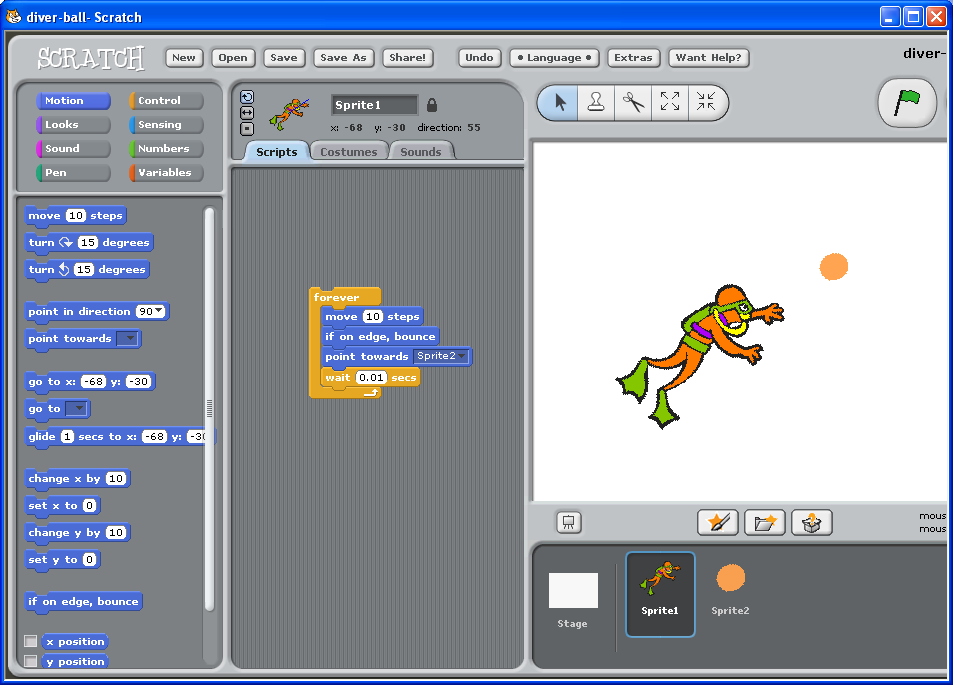
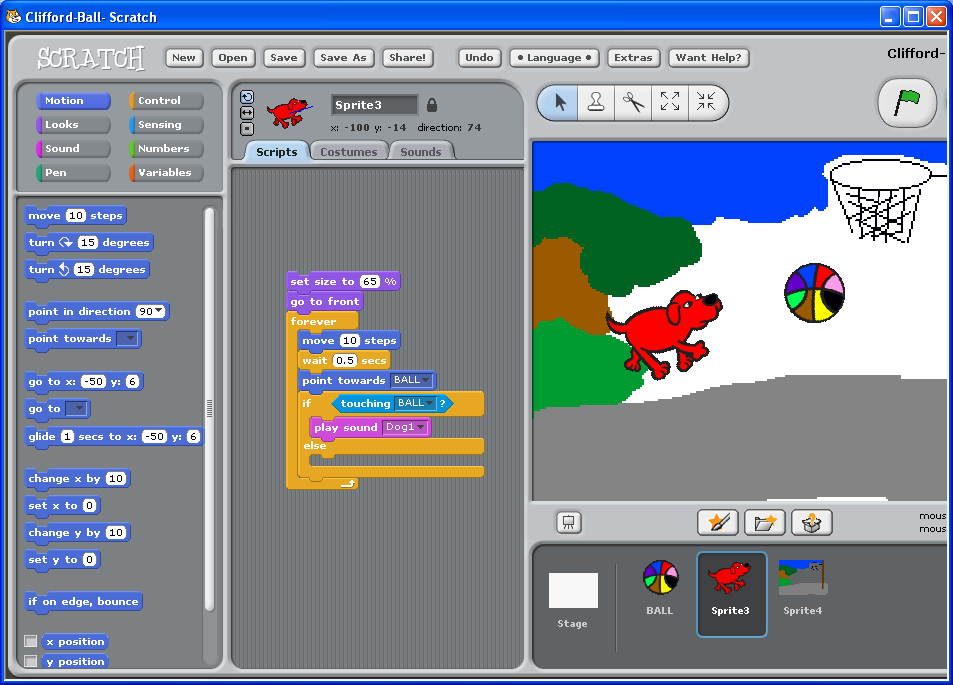
I showed it to my 5 year old son and he watched as I “changed the game” and had the ball chase the mouse cursor and the diver chase the ball. He sat down with me and asked me if I could make it a dog chasing the ball instead. Sure! Then we started customizing further. Make it run faster .. Yeah! Let’s turn him into Clifford – The Big Red Dog … Can he bark ? Sure. Let’s turn it into a basket ball .. I want it red, blue, yellow, … Let’s make a basket ball hoop and have Clifford play basketball … Sure.

It was a quite productive pair programming session :) . No TDD yet – he is too young for that kind of stuff :) .

I was relieved that I didn’t loose his attention while I was “programming”. Now, my son does have a pretty long attention span for his age, but a lot of credit goes to the designers of Scratch. The entire “artwork” was created within the Scratch application and the “programming” was just a pure joy for my son. And we were just “scratching” the surface there. Explore the possibilities here.

You can download the game here : Clifford-ball.sb. Be careful, sometimes the dog turns upside down. There are some bugs to be fixed :) . Where is the debugger ?

Related posts

This entry was posted in Kids, freeware, opensource and tagged , , , . Bookmark the permalink. Post a comment or leave a trackback: Trackback URL.

Post a Comment

Your email is never published nor shared. Required fields are marked *

*
*

You may use these HTML tags and attributes: <a href="" title=""> <abbr title=""> <acronym title=""> <b> <blockquote cite=""> <cite> <code> <del datetime=""> <em> <i> <q cite=""> <strike> <strong>

  • Twitter Updates

  • Notes

    Using DbUpdater with MySql
    DbUpdater can be used with mysql. Here are the files you need to jumpstart the integration – DbUpdater-MySql.zip 1. You might need to change the path to mysql.exe in mysql-exec.bat. 2. Modify values in mysql-sample-command-line.bat. Make sure mysql.data.dll is placed in GAC or in the same directory as DbUpdater.exe. Connector binaries can be downloaded from here - http://dev.mysql.com/downloads/connector/net/6.1.html (0)

    Online Backup Solution
    Finalized online backup solution : JungleDisk. I can run it on all of my machines without paying extra. I get to keep the ownership of my data – by using my own Amazon S3 storage. Backed up all family photos – all 30 GBs. Feeling good (0)

    Switched to Thematic
    I have switched to Thematic theme on this blog over the weekend. I created a child theme after playing around with the customization hooks. I added a widgetized area below main asides, did some css modifications and created a three column, flexible layout just the way I wanted. I am so glad I switched to Thematic. ThemeShaper forums are very helpful. These articles were just what I needed to get started : How to make a child theme for WordPress and How I used a WordPress Child Theme To Redesign My Blog. (0)

  • BookShelf

    Planned books:

    • ASP.NET MVC in Action

      ASP.NET MVC in Action by Jeffrey Palermo, Ben Scheirman, Jimmy Bogard

    Current books:

    • Pragmatic Thinking and Learning: Refactor Your Wetware (Pragmatic Programmers)

      Pragmatic Thinking and Learning: Refactor Your Wetware (Pragmatic Programmers) by Andy Hunt

    • Working Effectively with Legacy Code

      Working Effectively with Legacy Code by Michael Feathers

    Recent books:

    • How We Decide

      How We Decide by Jonah Lehrer

    • How I Got Published: Famous Authors Tell You in Their Own Words

      How I Got Published: Famous Authors Tell You in Their Own Words by Ray White

    • Programming Windows Presentation Foundation

      Programming Windows Presentation Foundation by Chris Sells, Ian Griffiths

    • Advanced MVVM

      Advanced MVVM by Josh Smith

    View full Library

Close
E-mail It